Everything you watch, in one place.
Live TV, sports, series and movies, all with a full guide.
On your TV, on your phone, and cast to Chromecast.
Some of the things Glo can do.
The ones you'll use every day. There's plenty more further down.
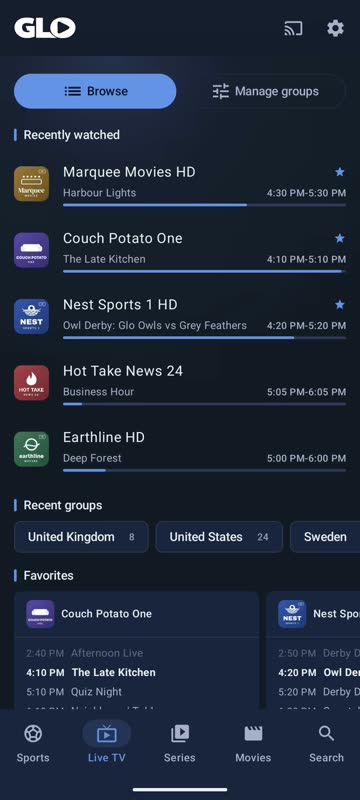
Live TV and guide
Everything you need without leaving the channel.
Sports hub
Scores, schedules and where to watch.
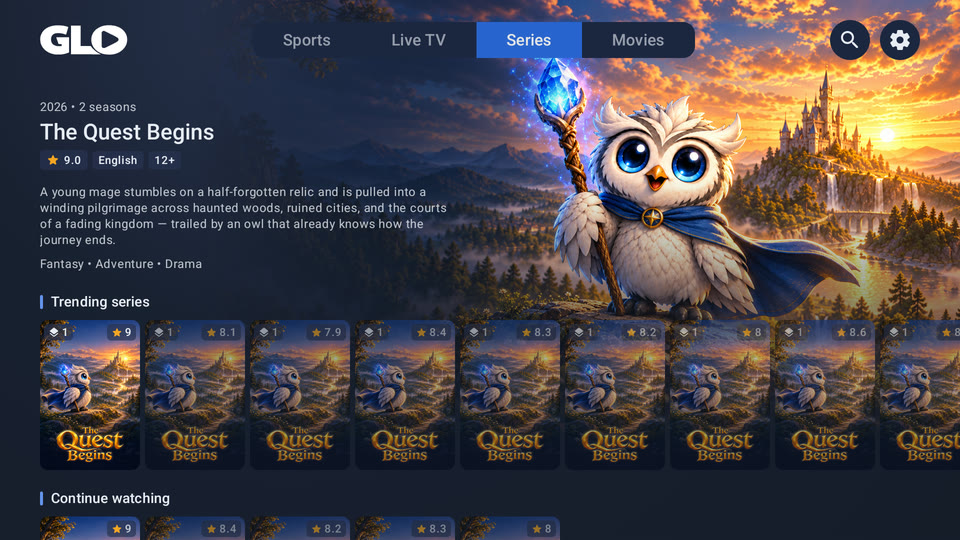
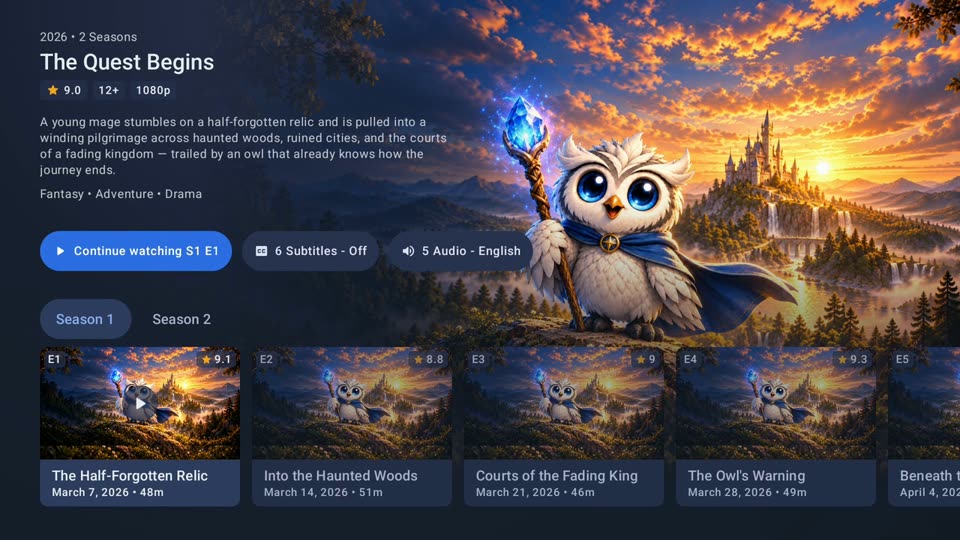
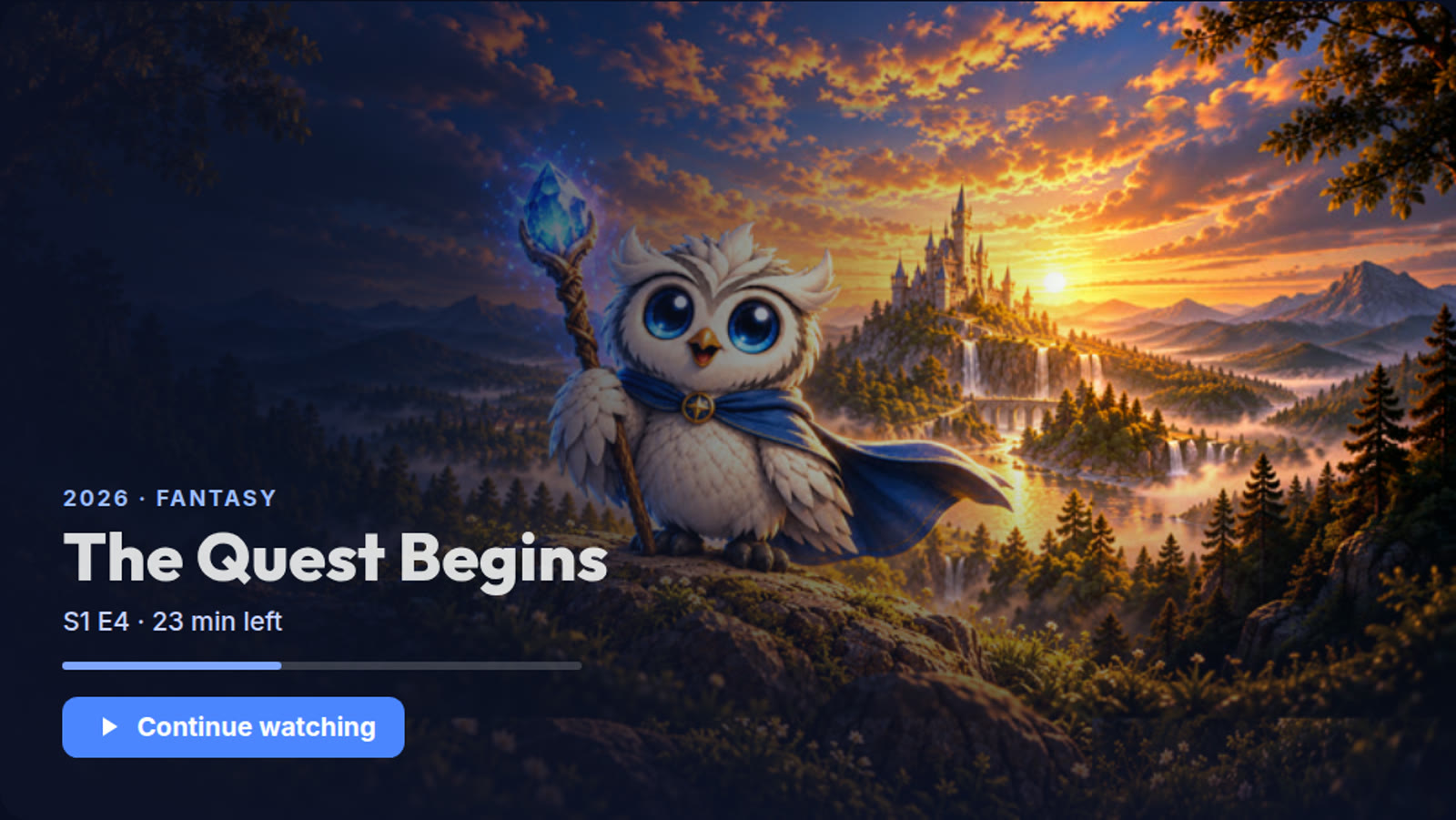
Series and movies
What's worth watching, and where you left off.
AI-enhanced voice search
Live TV, EPG, series and movies in one search. Or just say it.
Smart grouping by country
A messy playlist, sorted into countries.
Backup and sync
Restore your backup on any new device, and your TV and phone stay in sync.
Cast to Chromecast
From your phone to the big screen.
How Glo compares.
An honest side-by-side, including what TiviMate does that we don't.
| Feature |  | TiviMate |
|---|---|---|
| Xtream and M3U playlists | Available | Available |
| Full TV guide, catch-up and favorites | Available | Available |
| Sports hub that finds the channel showing your match | Available | Not available |
| Replay matches you missed | Available | Not available |
| Trending series and movies | Available | Not available |
| Sync between your TV and phone | Available | Not available |
| Smart grouping by country | Available | Not available |
| Phone and tablet app | Available | Not available |
| Cast to Chromecast | Available | Not available |
| AI-enhanced voice search, more accurate and multilingual | Available | Not available |
| Recording | Not available | Available |
| Stalker Portal playlists | Not available | Available |
Based on TiviMate's Google Play listing (updated June 22, 2026) and our own testing.
And a few more
good things.
The small things you'll be glad are there, night after night.

Phone as remote
Search, browse and control playback from your phone. No app to install.
Parental controls
PIN-lock channels, groups and titles.
Smart adult lock
Hides adult content automatically.
Multiple playlists
Add more than one playlist and browse them together.
Subtitles and audio
Pick the language, or turn subtitles on automatically.
Next episode
When an episode ends, the next one is ready to play.
Your own TV guide
Add any XMLTV guide URL next to your playlist.
Auto refresh
Playlists and guide refresh in the background.
Start free. Lock in Premium early.
Glo is free forever. Premium adds the extras, at an early adopter price.

| Feature | Free$0 forever, no account | Premium$0.99/mo early adopter price, locked while subscribed |
|---|---|---|
Live TV, guide, catch-up, sports, series and moviesplus search and the phone app | Included | Included |
| Cast to Chromecast | Not included | Included |
| AI-enhanced voice search | Not included | Included |
| Cloud backup & sync | Not included | Included |
Sports hubFollow teams, leagues and sports | Not included | Included |
| Phone as remote | Not included | Included |
| No watermark | Not included | Included |
| One Premium on up to 5 devices | Not included | Included |
Upgrade to Premium inside the app.
Get Glo on your TV.
Free on Google Play for TVs, phones and tablets. Standalone downloads are coming soon.
Standalone
For Fire TV and boxes without Google Play. Coming soon.
How to install
Standalone downloads are coming soon. Downloader code 8874991 will be enabled with the first public release.
- Install Downloader from your device's app store.Amazon Appstore on Fire TV, or the app store on your Android box.
- Let Downloader install unknown apps.Fire TV: Settings → My Fire TV → Developer options → Install unknown apps. Other Android devices: look under Security or Apps in Settings.
- Wait for the public release before entering the code.
Downloader code: 8874991
Fire TV devices running Vega OS can't install Android apps.
Questions and answers.
The things people ask before they install.
Does Glo come with content?
Glo is a player only. Bring your own IPTV subscription or playlist; no channels or content are included.
Once you add your playlist, Glo sorts it into Live TV, a guide, sports, series and movies.
Which playlists work?
Xtream Codes logins, and M3U playlists by URL. We recommend Xtream: you also get catch-up, when your provider keeps an archive.
Do I need an account?
No. The free version works without one. You only sign in with Google for Premium, cloud backup and sync.
Does one Premium cover my TV and my phone?
Yes. One Premium covers up to 5 devices signed in with the same Google account, TVs and phones alike.
Can I cast to Chromecast?
Yes, with Premium, from the phone and tablet app. Whether a stream plays on Chromecast depends on your provider: some streams can't be cast, and those still play on your phone.
Does Glo work on Fire TV?
Standalone downloads are coming soon. Downloader code 8874991 will be enabled with the first public release. See Get Glo above. Fire TV devices running Vega OS can't install Android apps.
Where are my playlist logins stored?
On your device. If you turn on cloud backup or sync, your playlist details are encrypted and stored on our servers so another device can restore them. Your IPTV provider receives your logins when you connect. Automatic crash diagnostics are described in our Privacy Policy.
How do referrals work?
Open Refer a friend in Settings for your code and a QR to share. When someone redeems it, you both get free Premium days.